Motivation
The more i get to know features and plugins of obsidian, toms obsidian setup, the more i like it.
It is great for private notes and with the help of the remotely save Plugin, my notes are synced to my nextcloud folder and from there to all my devices (bidirectional sync)
Now i can point to the Markdown Files on github or share the files on Nextcloud. Yet neither github nor nextcloud can render Markdown quite like Obsidian. This becomes critical when using Diagrams Diagramme in Markdown , backlinks or other advanced features of Obsidian.
Colaboration
So wouldn’t it be great if we could work in a shared Vault just like in a Groupfolder in Nextcloud?
Well it seems there is a way to achieve this by using remotely save to sync to a S3 Bucket.
All collaborators can setup a Vault that syncs to the same S3 Bucket and work on the same files.
Other nextcloud users can just access (view) the md files in our data garage.
https://nx.openheidelberg.de/apps/files/files/15812?dir=/garage/obsidian
Setup
To setup the collaboration vault follow these steps:
- create a new vault
openheidelberg. The name is critical as it is part of the sync path. All lowercase - install and enable the community plugin
remotely save - Go to nextcloud passwords and find openheidelberg -> s3 garage. Navigate to Details and open the Obsidian Collab Link in a (new) Browser window
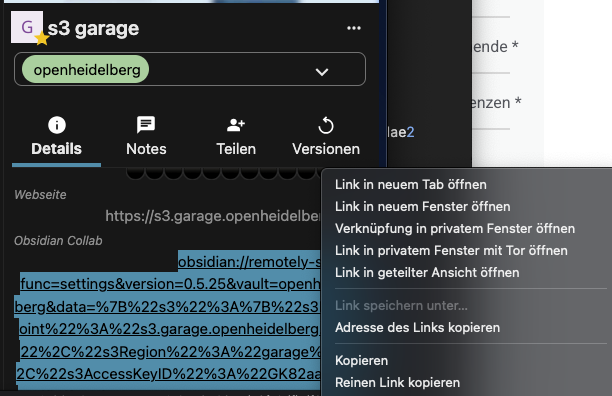
You will be asked to open obsidian and the settings wil be inserted to the remotely save plugin.
Locate the Sync Button. In the default theme it is on the left side.
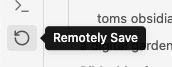
This will get you all the files in the collaboration bucket.
Now head to toms obsidian setup to setup your Vault.
Also have a look at the other Notes in the HowTo
Groupfolders
why not sync to a groupfolder?
For one i could not get a working webdav path to a groupfolder.
Also for a webdav sync a users personal login data is used. So sharing settings via link and QR Code would not work.
Github
why not use github to sync a vault?
There is a plugin that could be used to sync to github.
this requires a user
- has a github account
- sets up a personal access token
Also there seems to be issues with private repositories.