Obsidian-LiveSync is an alternative sync method to the paid Obsidian Sync and the remotely save Plugin.
It works with a couchdb installed on a self hosted Server. This promises to be more stable sync method with better conflict resolution. In the advanced feature setup it can also sync configuration, so all the goodies from toms obsidian setup can be shared to your vault. (Evaluation pending)
Do not try to install this sync method alongside another sync setup. Create a new vault.
Setup Obsidian-LiveSync
- Create a new Vault. The name does not matter here.
- Install Plugin Self-hosted LiveSync
- After enabling the plugin you are asked to enter a setup URL
-
on Mobile Device you can ignore this step and open the QR Code in the nextcloud Admin Folder.
or
-
on Desktop Device you find the Setup URL in the notes of the obsidian-livesync password in the nextcloud.
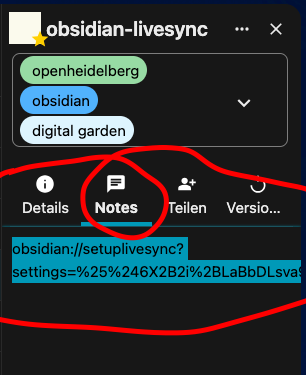
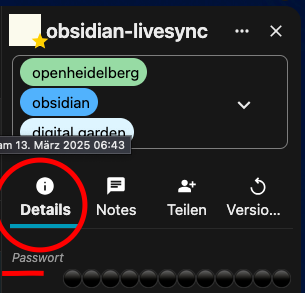
You will be asked for a passphrase. Get the password from the Details Section.
-
- Apply Settings, do not activate advanced features for now.
- In Command Palette
Reload App without saving
You are ready to collaborate.